
Built by diabetic dog owners, for diabetic dog owners.
After years of manually tracking Parker's blood glucose, insulin doses, and glucose curves, we built the app we wished we'd had from the beginning.
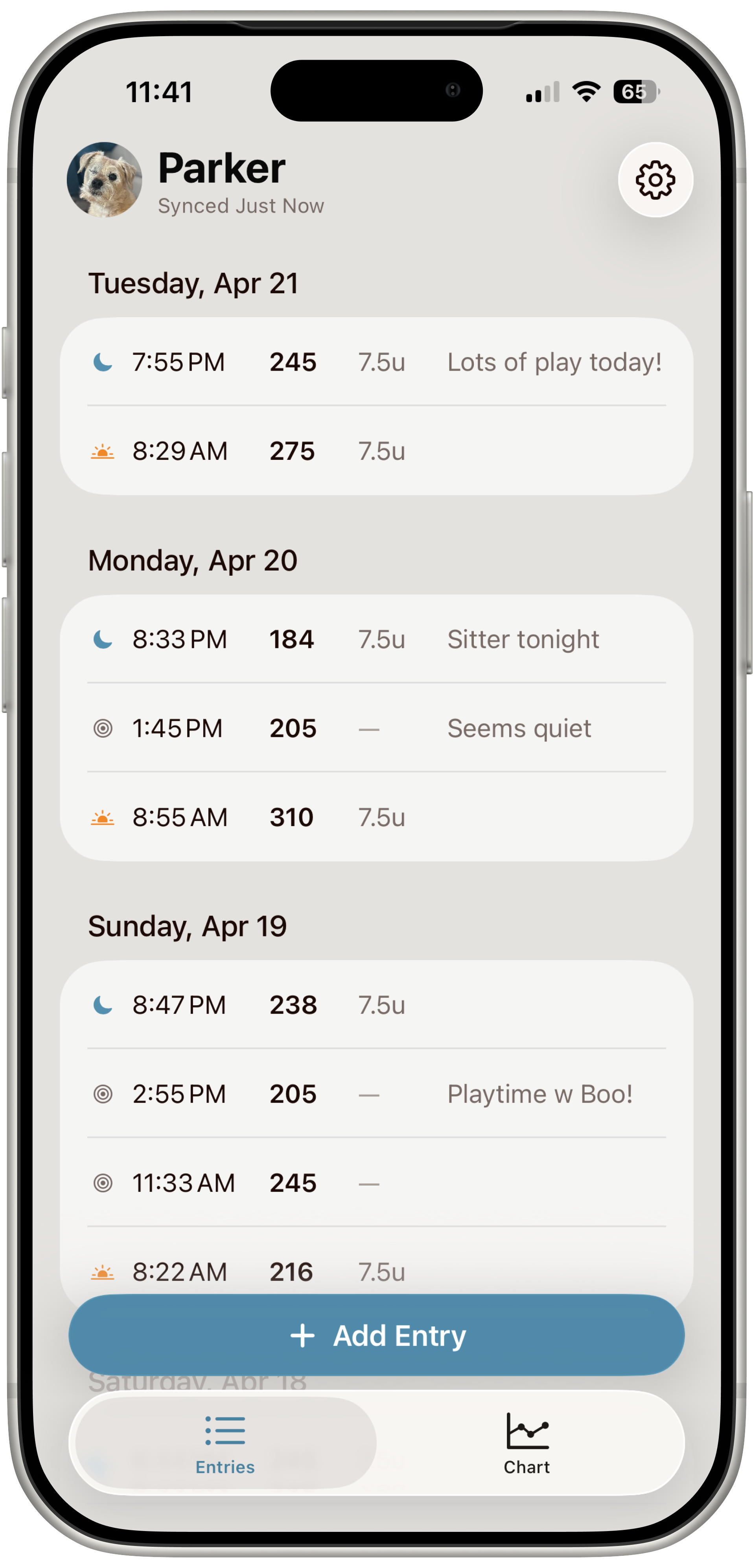
Designed for life with a diabetic dog
Managing dog diabetes becomes part of everyday life: morning and evening routines, glucose checks, insulin doses, food timing, curves, vet visits, and daily note-taking.
We built the My Diabetic Pet app to keep all of that in one place and make the daily routine a little easier.
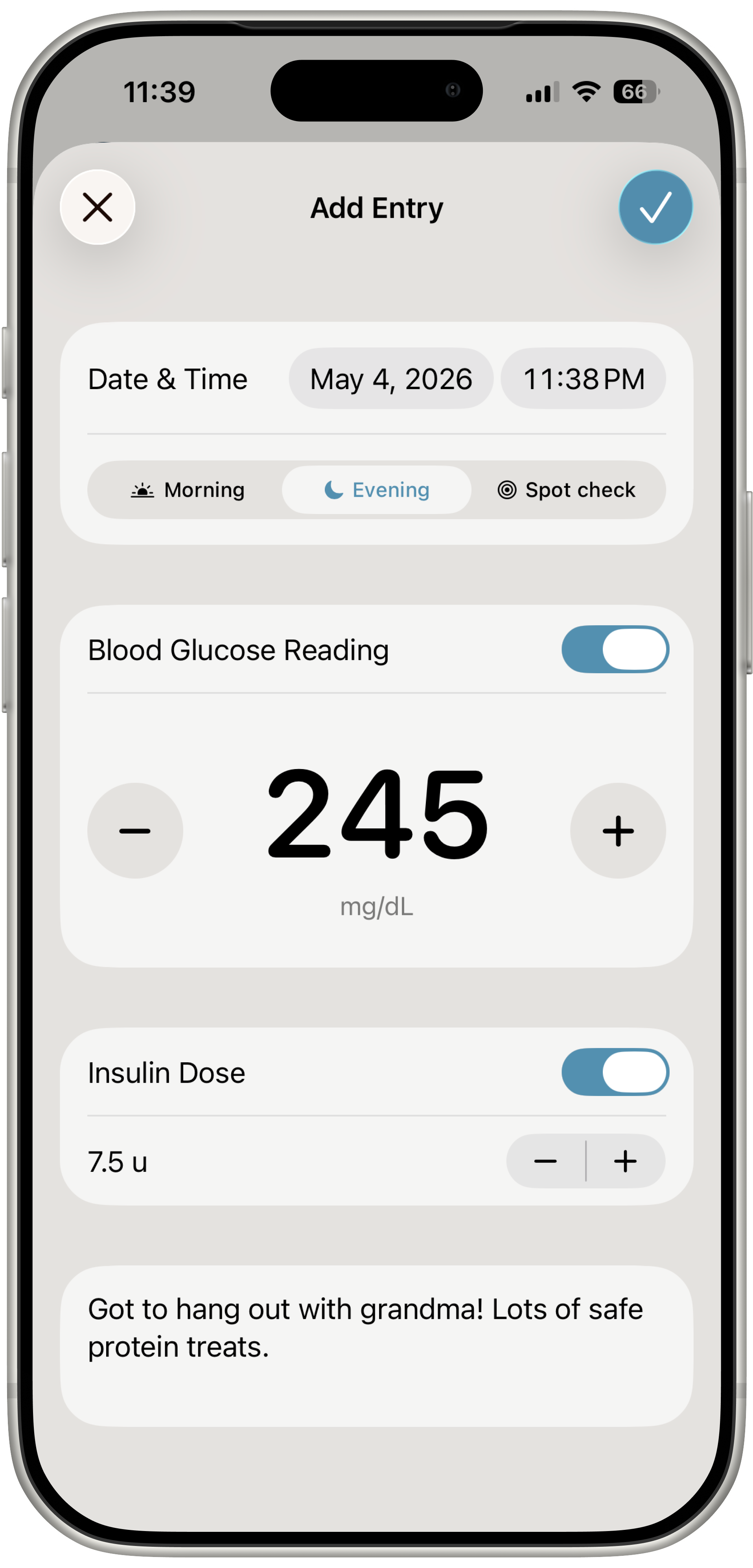
Make tracking the easy part
Keep blood glucose readings, insulin doses, and your notes together, so you can spend less time keeping track of everything.
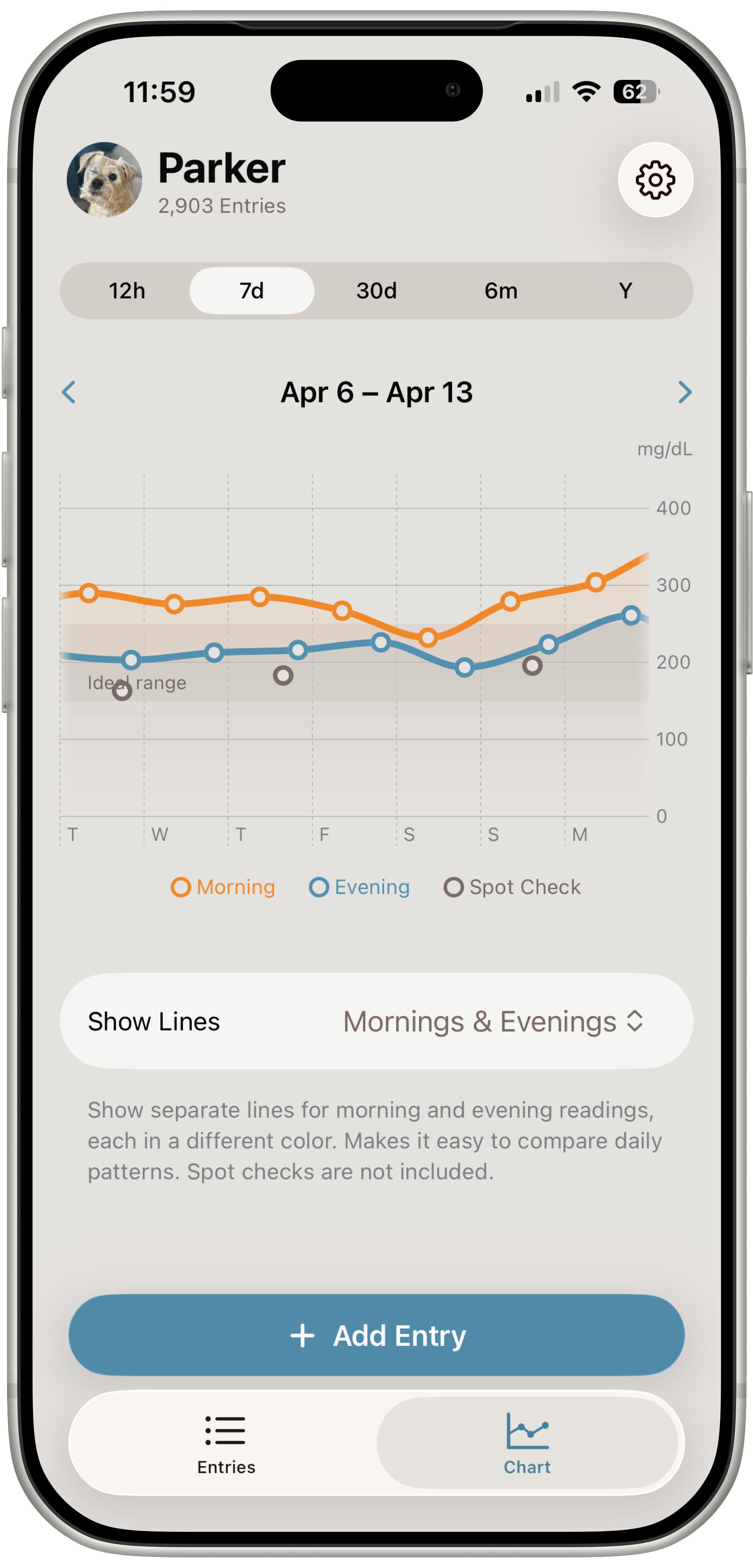
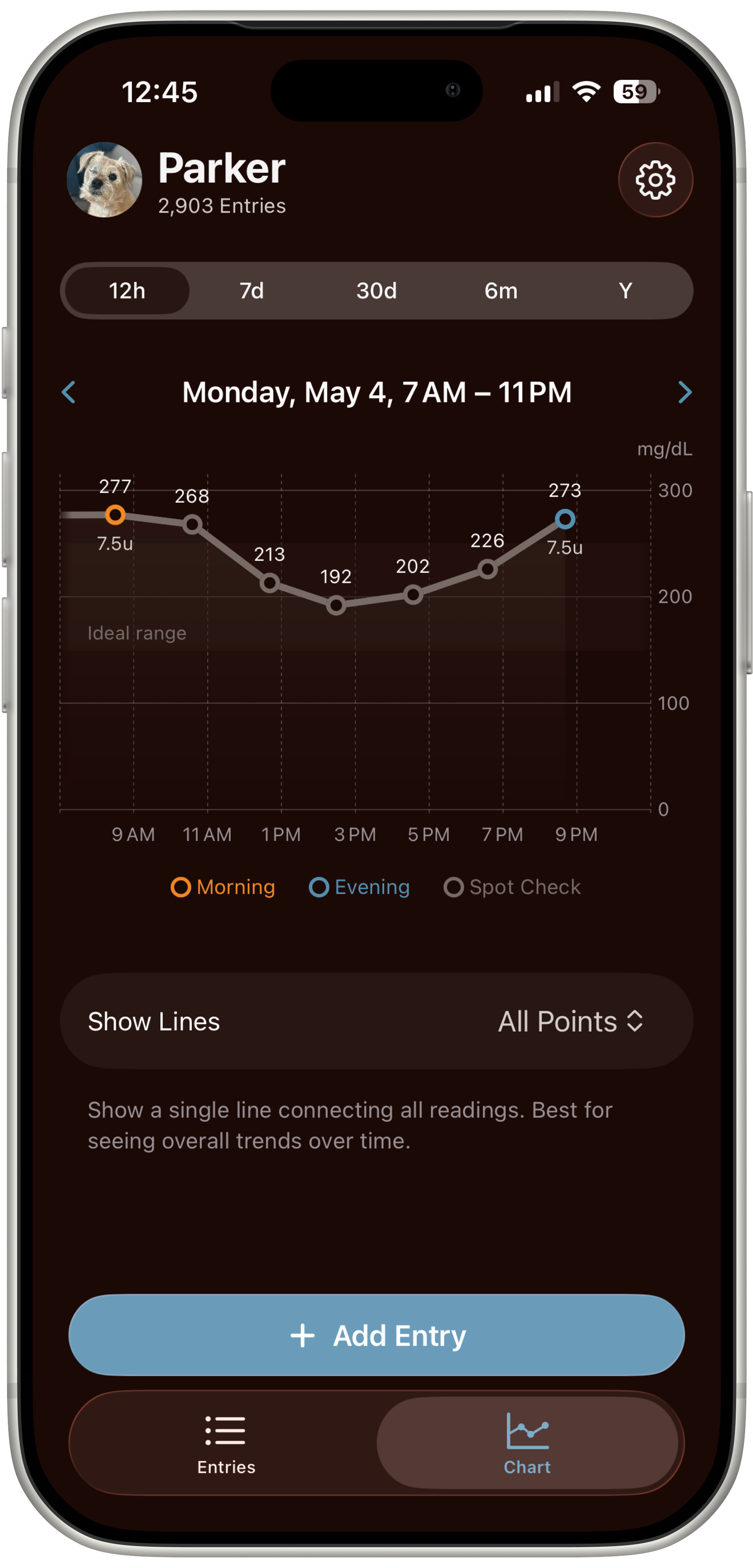
See the story behind the numbers
See how your dog's blood glucose changes over days, weeks and months, and spot patterns that can be hard to see one reading at a time.
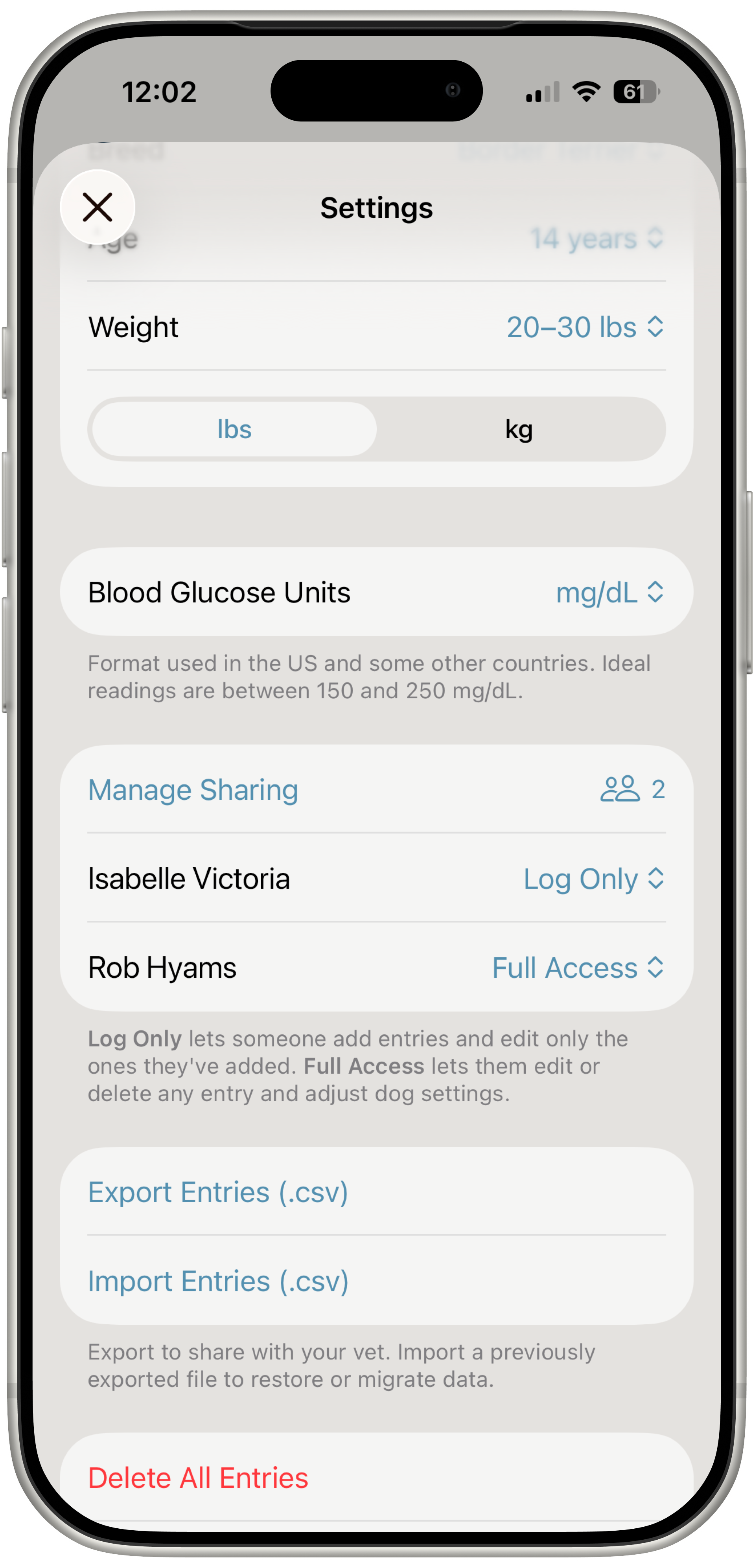
Keep everyone on the same page
When more than one person cares for your dog, everyone can see what's been logged — including family members, partners, and pet sitters.
Ready to make daily tracking easier?
Meet Parker, the dog behind the app
Parker has been living with diabetes for years, which means we’ve spent a lot of time checking blood glucose, giving insulin, running curves, making notes, and trying to keep everything organized.
The app grew out of that daily routine.
We built it for ourselves first — and then realized it could help other people caring for diabetic dogs too.

Fits your routine. And your dog's :)
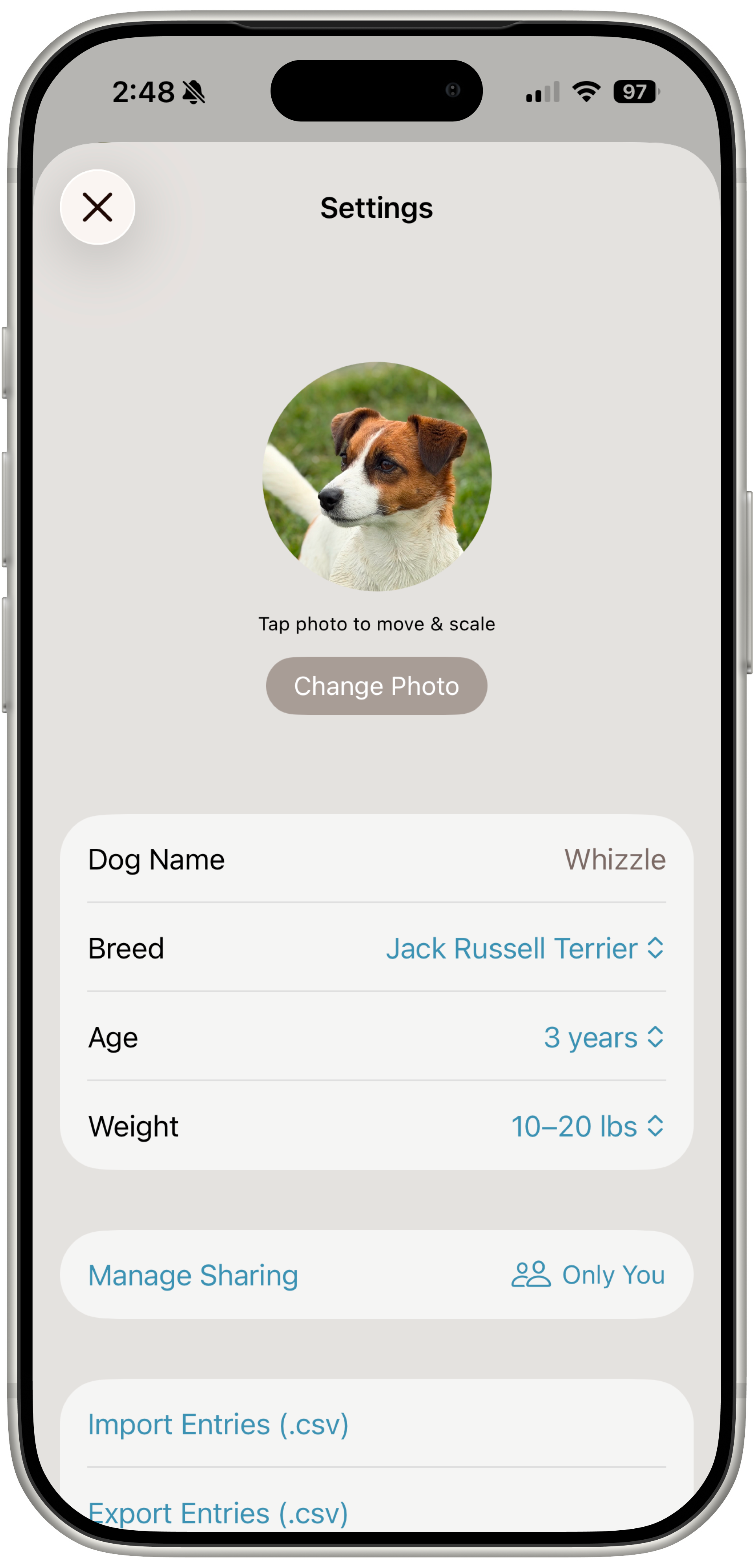
Quick when you need it to be
Quick logging for early-morning glucose checks, overnight curves, and all the moments when you only have one hand free.
Use the units you're used to
Choose between mg/dL and mmol/L for blood glucose readings.
A history everyone can look back on
Blood glucose readings, insulin doses, notes, and glucose curves stay together, instead of being scattered across notebooks, notes and spreadsheets.
Share the full picture
Share or export your dog’s readings and history for your vet, or when asking for help in an online diabetic dog community.
Stay ahead of the curve
Turn spot checks into a clear glucose curve that’s easy to review at a glance.
See what's changing over time
Look back over weeks and months to see how your dog’s blood glucose readings have changed and spot patterns you might otherwise miss.
Your dog’s history stays with you





Frequently Asked Questions
How much does the My Diabetic Pet app cost?
Pricing is shown in your local currency in the App Store. Monthly or annual subscription are both available. My Diabetic Pet costs about as much per month as 12 test strips!
Is there a free trial?
Yes. You can use the app for up to 22 entries before it requires a subscription. Plenty of time to see if it will work for you and your dog!
What platform is the app available on?
For now, iPhones with iOS 26 are required.
Where is my dog's data stored?
Your data is stored on your device and, if enabled, synchronized between devices via iCloud.
Can two people log readings for the same dog?
Yes. Just share the dog with a fellow caregiver and grant the appropriate access: full access or log-only.
Is this app a replacement for veterinary advice?
No! My Diabetic Pet is a tracking tool only. Always consult your veterinarian for guidance on your dog’s care.
Can I use this app for cats?
Right now, the My Diabetic Pet app is designed for dogs. Support for cats will be added in the future.
Is my dog's data backed up?
Data is stored on your device and, when enabled, synchronized across devices with iCloud. Every day, your dog's data is backed up on your device and available to download. You can also use the Export Entries feature in Settings if you'd like to make a backup of your dog's data at any moment or share it with your veterinarian.
Can I import data?
Yes. You can use the Import Entries feature in Settings. Your data must be in a format identical to that of the file generated using the export feature.
Where can I get help and support for the My Diabetic Pet app?
Visit Support to find frequently asked questions and ways to get in touch with us for help.